Your MIDI library
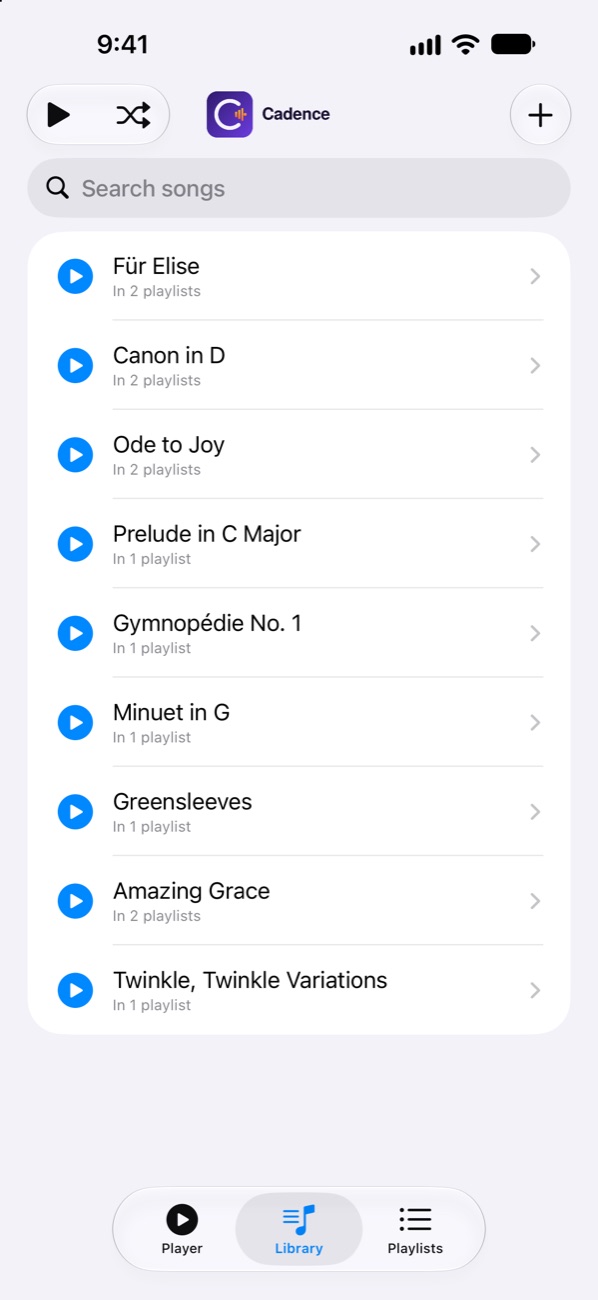
Import .mid and .midi files from Files, iCloud Drive, Google Drive, Dropbox and more. Duplicates are caught automatically, and you can rename songs and see every track inside.
Cadence plays MIDI files through your iPhone's speaker, or sends them straight to your player piano or digital piano over Bluetooth. Build playlists and run a whole evening of music from your phone.
For iPhone. No account, no ads, no tracking.
Built for player pianos and digital pianos with Bluetooth MIDI adapters, and just as happy playing through your iPhone's speaker.
Import .mid and .midi files from Files, iCloud Drive, Google Drive, Dropbox and more. Duplicates are caught automatically, and you can rename songs and see every track inside.
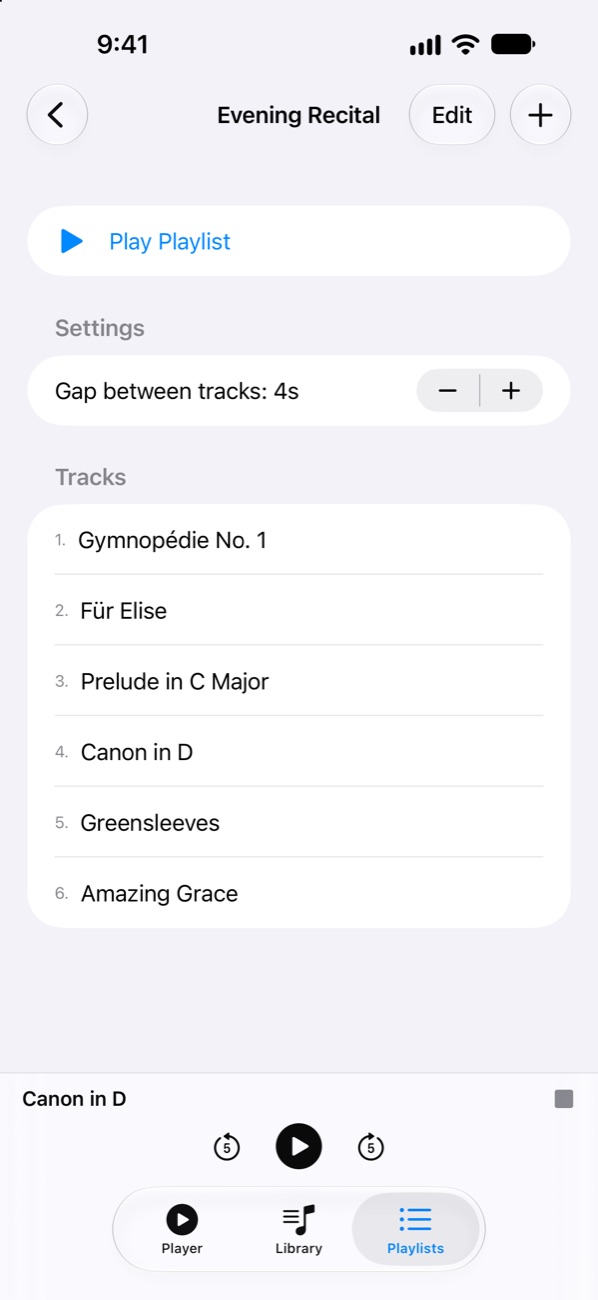
Arrange songs in any order, shuffle, repeat one or all, and set a pause between tracks. Perfect for recitals, parties and background music.
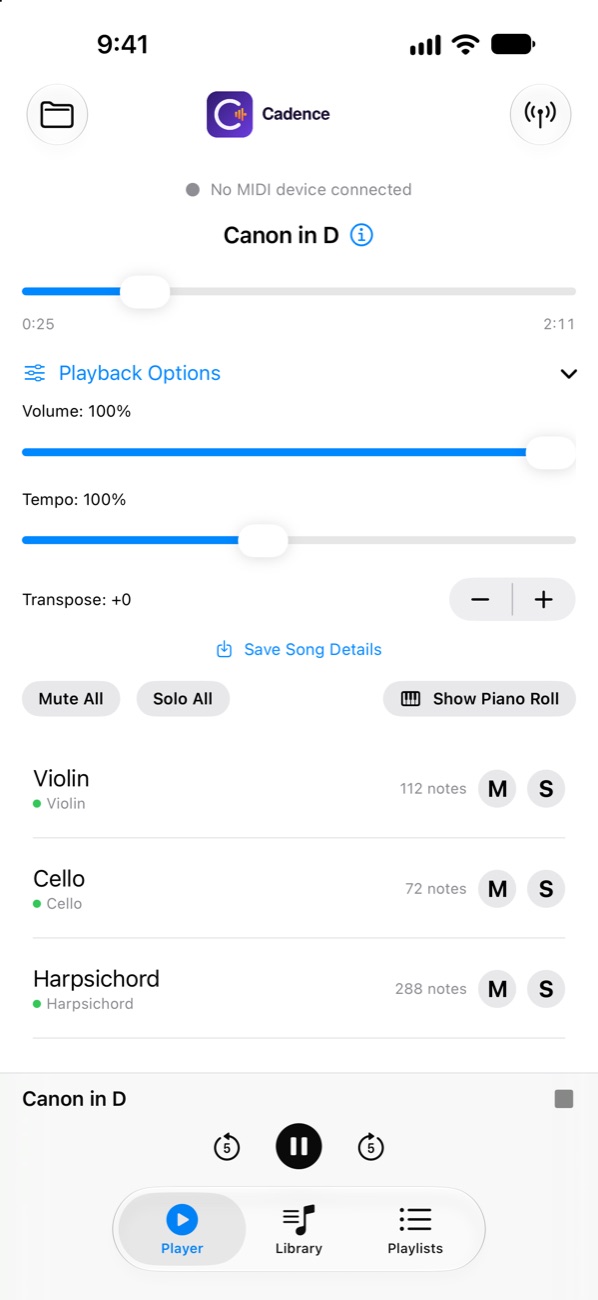
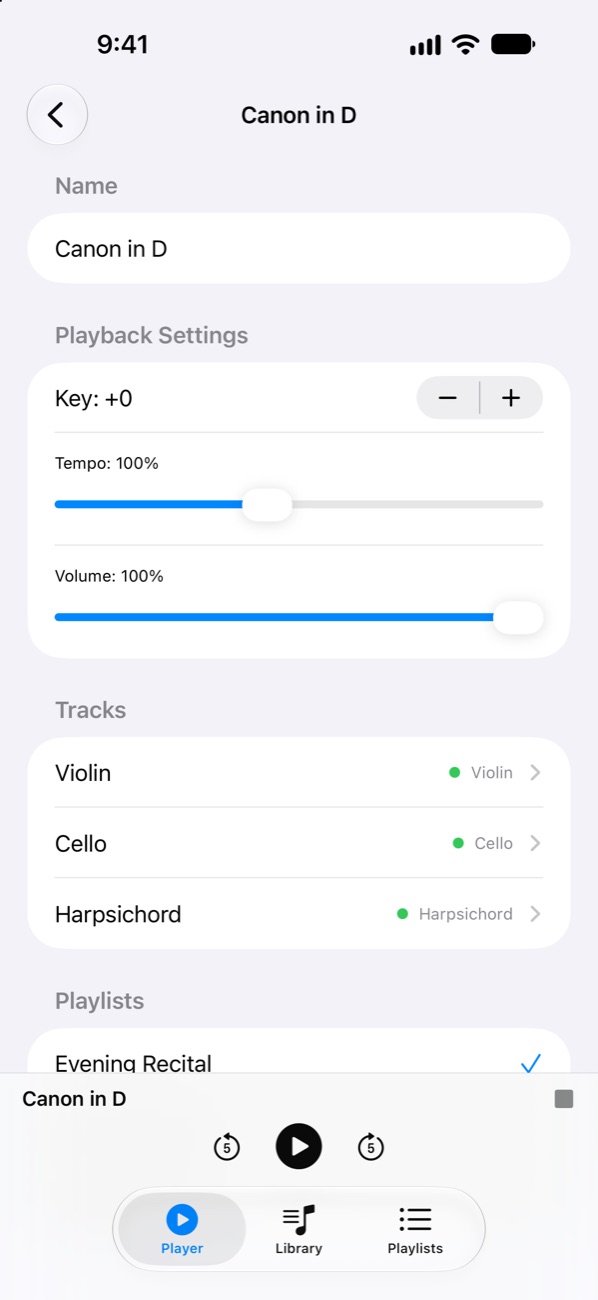
Change the key up or down two octaves, slow songs down for practice or speed them up, and set the volume. Settings are saved with each song.
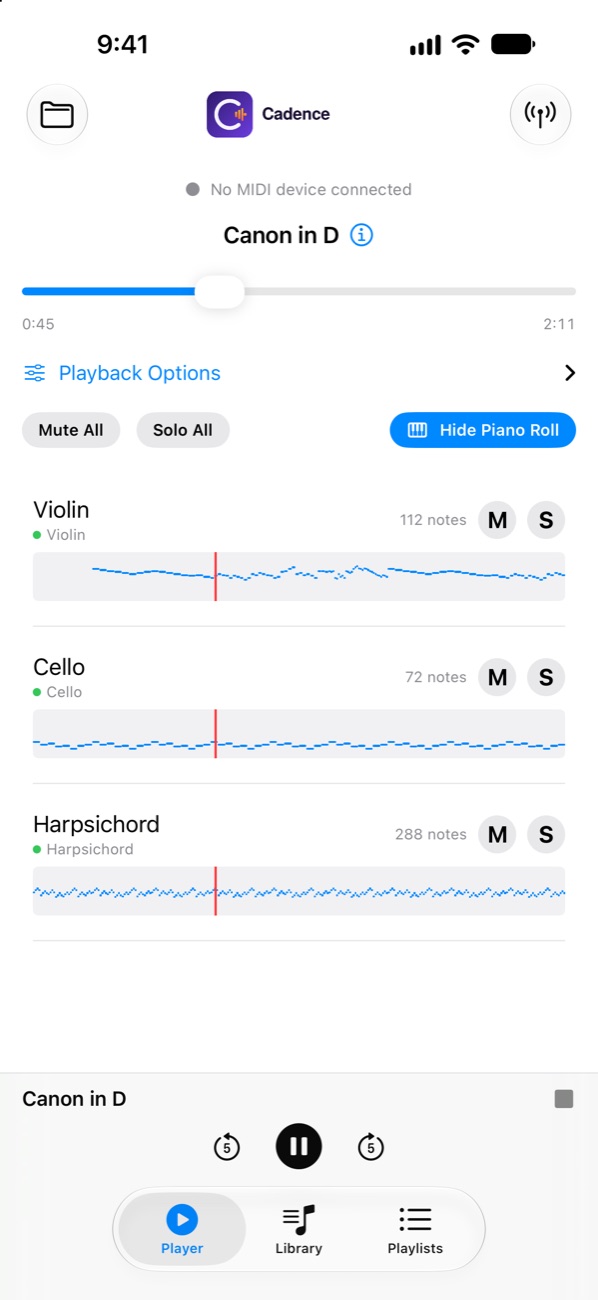
Mute or solo individual tracks — practice the left hand while Cadence plays the right. Rename tracks, swap instruments, and follow along in the piano roll.
Pair a Bluetooth MIDI adapter or keyboard right inside the app and send playback to your piano. No piano? The built-in sound library plays every song.
Keeps playing with the screen locked. Control it from the lock screen, Control Center, the Dynamic Island or your headphones. Pauses for calls automatically.
Works with Bluetooth MIDI adapters plugged into player pianos and digital pianos, and keyboards with Bluetooth MIDI built in.
Practice smarter by slowing a piece down or muting the part you're learning.
Host an evening of music with a playlist that runs by itself, pauses included.
Import MIDI files from Files or any cloud storage app.
Tap the antenna button and pick your Bluetooth MIDI device — or just use the speaker.
Adjust key and tempo, build a playlist, and lock your phone. Cadence keeps playing.
No account, no ads, no analytics, no tracking. Your songs and playlists stay on your iPhone and never leave it. Read the privacy policy.
Standard MIDI files with the .mid or .midi extension (type 0 and type 1). Files up to 10 MB can be imported; most songs are well under 1 MB.
Open the Library tab and tap +. Choose one or more MIDI files from Files, iCloud Drive, Google Drive, Dropbox or any other storage app. Cadence keeps its own copy, so songs stay available even if the original file moves.
Plug a Bluetooth MIDI adapter into your piano (or use a keyboard with built-in Bluetooth MIDI) and turn it on. In Cadence, tap the antenna button on the Player tab and choose your device. Playback then goes to the piano instead of the phone's speaker.
Check that the adapter is powered on, within range, and shows as connected in Cadence. Some adapters connect to only one app or device at a time, so close other music apps and try again.
Yes. Open a song's details to change its key (up to two octaves up or down), tempo (25% to 200%) and volume. These settings are saved with the song.
Yes. Use the lock screen, Control Center, the Dynamic Island or your headphones to pause, skip or scrub. Playback pauses automatically for phone calls and when headphones are unplugged.
No. Every feature works through your iPhone's speaker or headphones using the built-in General MIDI instrument sounds.
Delete songs and playlists inside the app, or remove Cadence from your iPhone to delete everything. Cadence stores nothing outside your phone.
The short version: Cadence does not collect, store on our servers, share or sell any personal information. Everything the app keeps stays on your iPhone.
Cadence is an iPhone app made by pearGate (“we”, “us”). This policy explains what happens to your information when you use Cadence.
We do not collect any information from Cadence. The app has no user accounts, no analytics, no advertising, and no third-party tracking or data-collection tools. Cadence does not connect to the internet to send us anything.
To work, Cadence keeps the following on your iPhone, inside the app's own private storage:
This information never leaves your device through Cadence. You can delete individual songs and playlists in the app, or delete everything by removing the app from your iPhone. If you use iCloud Backup or back up your iPhone to a computer, this information may be included in those backups under your Apple settings; we cannot access it.
When you import a song, you pick the file yourself with the iOS file picker. Cadence can only read the files you choose, and copies them into its own storage. It cannot browse your other files.
Cadence uses Bluetooth only to connect to MIDI devices you choose to pair, such as a Bluetooth MIDI adapter on a piano, and to send music to them. We do not use Bluetooth to determine your location or to collect information about nearby devices.
If you have turned on “Share with App Developers” in your iPhone's Analytics & Improvements settings, Apple may share anonymous crash reports and usage statistics with us. These help us fix problems and do not identify you. You can turn this off at any time in Settings > Privacy & Security > Analytics & Improvements.
If you buy Cadence or anything in it, the payment is handled entirely by Apple. We never see your payment details.
Cadence is suitable for all ages. Because we collect no personal information, we do not knowingly collect information from children under 13 (or the equivalent age where you live).
Wherever you live, including under the GDPR in the EU and UK and the CCPA in California, you have rights over personal information a company holds about you. Because we hold no personal information from Cadence, there is nothing for us to access, correct, delete, or transfer. Everything Cadence stores is on your device and under your control.
If we change how Cadence handles information, we will update this page and the effective date above before the change takes effect.